 blockyard
Java? Already handled.
Blockyard downloads and verifies the right Java runtime for your chosen Minecraft version.
From “let’s make a server” to your next great adventure. Meet the Minecraft server manager that gets out of your way.
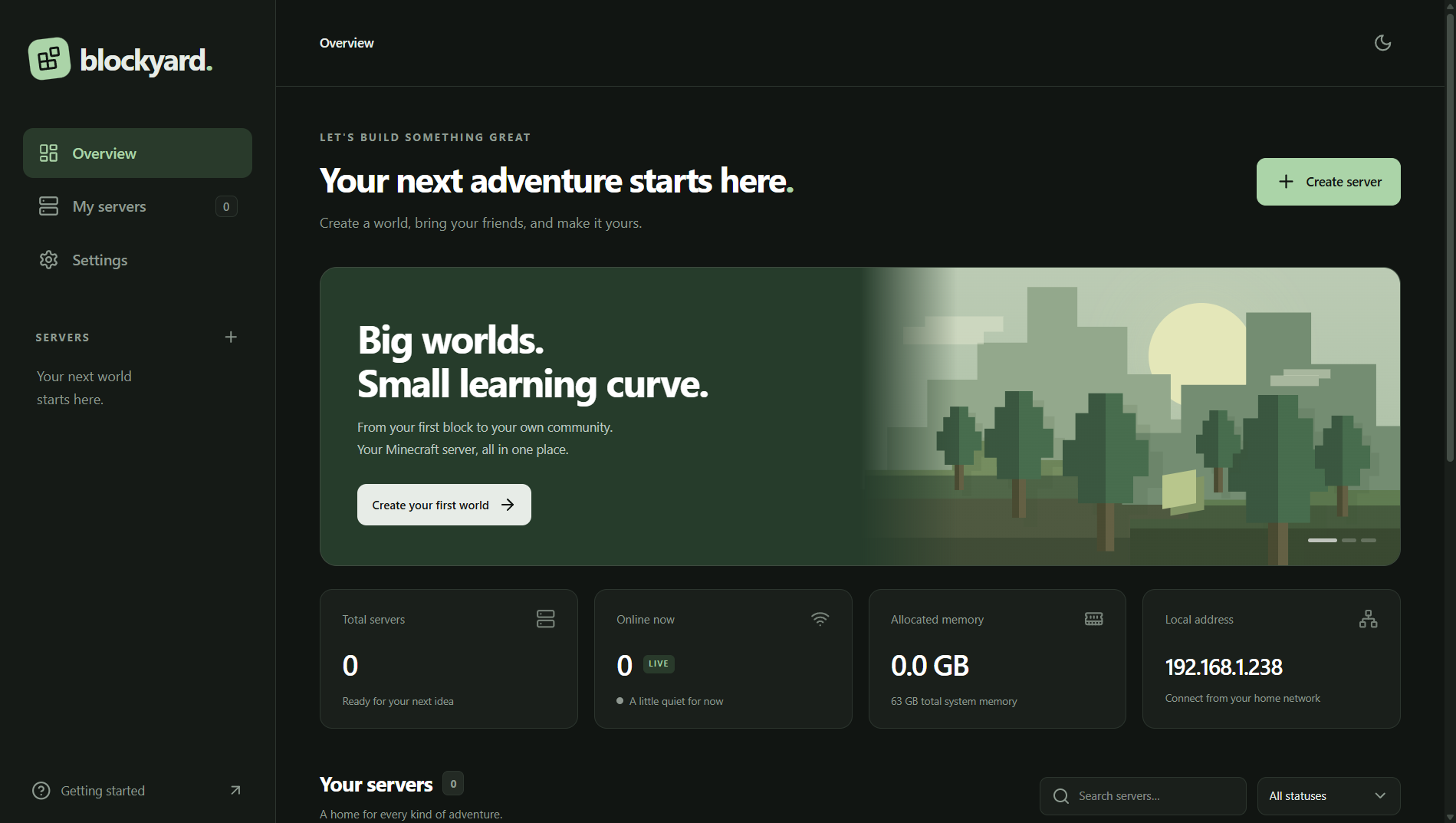
All the practical things a server needs, brought together in a workspace that feels like yours.
Watch startup unfold, follow live output and run commands without leaving the app.
Captured in Blockyard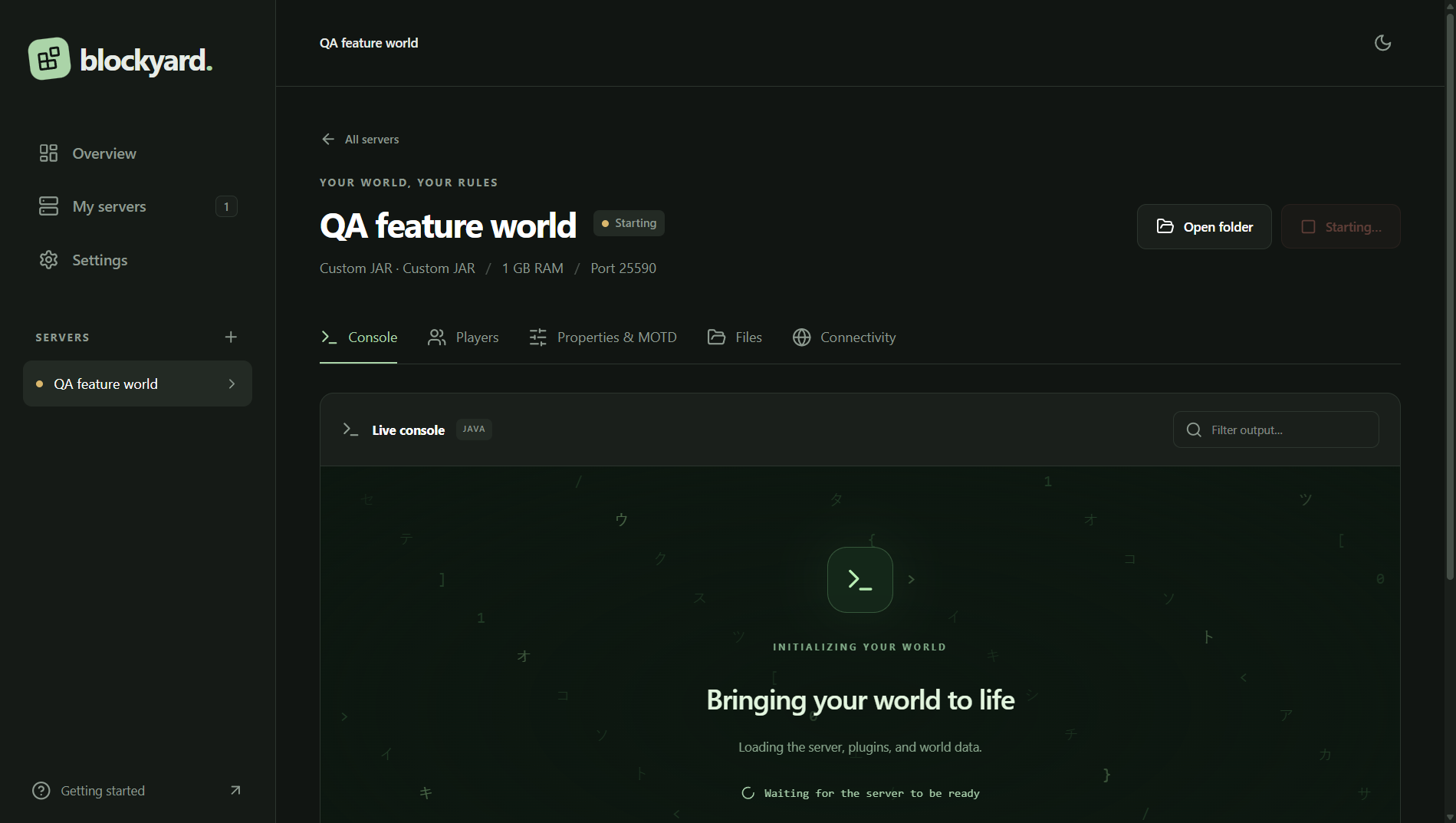
Blockyard downloads and verifies the right Java runtime for your chosen Minecraft version.
Edit files with Monaco, tune server.properties and see your MOTD before anyone joins.
Manage online players, whitelists, bans and operators from one clear view.
Map your server’s port with UPnP when your router supports it, or use manual forwarding.
No server-hosting subscription needed.
Your machine does the hosting.
Install Blockyard and choose Vanilla, Paper or your own server JAR.
Pick a version, set your memory and personalize the details. Java is taken care of.
Watch the console come alive. For friends outside your network, enable supported UPnP or forward your port.
Start yours with Blockyard. Choose how you want to get going.
Install once. Open faster. Your server studio, ready from your desktop.
Run without installing. Handy for trying things out or keeping the app on another drive.
Blockyard is early access. Bugs may cause data loss or corruption. Back up worlds and configurations before use. Please read the terms and privacy policy.
Yes. Your Minecraft server runs on your computer, so Blockyard and the computer need to stay running while people play.
No. Automatic Java mode downloads and verifies a compatible Eclipse Temurin runtime for your server. You can also choose your own Java executable.
People on your network can connect using your computer’s network address. Internet connections need a reachable public address and an open server port. UPnP can help on supported routers; some ISPs use carrier-grade NAT, which may require another solution.
The installer extracts the app once and adds shortcuts. The portable edition needs to unpack its files each time it opens, which can make launches noticeably slower. Both editions use the same server-data location.
Blockyard is early access. Bugs can cause crashes, configuration changes or lost files. Keep independent, tested backups of worlds and configurations before using or updating it. There is no built-in automatic backup service.
Blockyard has no built-in world sync, analytics or account system. Your server data stays on your machine. Downloads and Minecraft services make network requests; see the privacy policy for details.